

 Home
HomePreparing To Print
Prepare SD Card
Put your .gcode file on an SD card. If you have a MicroSD card slot available but don't have a SD card slot, there are SD card to MicroSD card adapters available at MCI.
Prepare filament
Removing existing filament
When removing filament from the machine, put it in a vacuum sealed plastic bag with two blue desiccant bags so that it stays dry. The bags have a pattern on them that allows air to flow even if the two sides of the plastic are in contact.
When the desiccant balls have turned purple they will be less effective at absorbing moisture and should be thrown out. When the bags are no longer able to hold a vacuum within them, they should be thrown out.
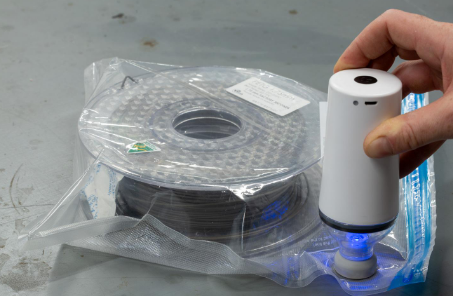
Never release the loose end of a removed spool of filament. If the filament gets tangled, it can become impossible to untangle the spool, requiring it to be discarded.
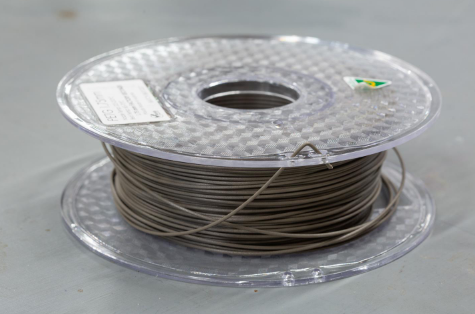
The spools have filament retention holes around their edges. Use them to secure the loose end.
Selecting filament
Specific instructions about how to install the filament are provided later in the 3D Printing section
Ensure you have enough filament for print.
Ensure no tangles on filament.
PLA (low temperature, brittle, easy to print)
ABS (strong, high-temp, must be enclosed when printing)
PETG (more stringing, but stronger and more temperature resistant than PLA)
TPE/TPU (flexible)
MCI provides PLA, PETG, TPU, and ABS filament for members’ use
If you producing very large volumes of prints (e.g. 500g+ of filament in a single project) please provide your own filament.
Colour options provided by MCI will be limited. If you have specific colour or material requirements not met by the small number of filament spools MCI has open and available at the time, please provide your own filament.
Do not open new boxes of MCI filament merely because the currently open spools are not in the colours that you want.
Some filament suppliers if MCI doesn't provide what you're looking for:
• https://www.cubictech.com.au/
• https://www.inkstation.com.au/